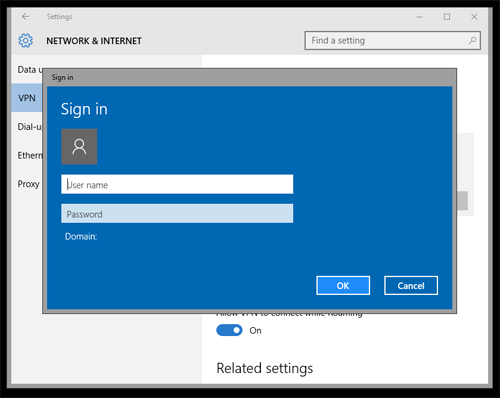
Special settings to use L2TP or IKEv2 on Windows
If you are only using PPTP you can skip this section.
Windows by default prevents L2TP connections to servers behind NAT firewalls. No other operating system works this way. In order to make Windows work with L2TP an exception has to be added to the registry. Please follow these steps if you wish to use L2TP on Windows.
On the Windows computer be sure you are logged in as an admin user.
Click Start
Search for regedit and then right click on it and select Run as Administrator. In WIndows XP just double click.
Locate and then click on the following registry key
WIndows Vista, 7, 8 and 10 – HKEY_LOCAL_MACHINE\SYSTEM\CurrentControlSet\Services\PolicyAgent
Windows XP – HKEY_LOCAL_MACHINE\SYSTEM\CurrentControlSet\Services\IPSec
On the Edit menu, point to New, and then click DWORD (32-bit) Value.
Type AssumeUDPEncapsulationContextOnSendRule and then press ENTER.
Right click on the AssumeUDPEncapsulationContextOnSendRule you just created and click Modify.
In the Value Data box, type the number 2 as the value and click OK.
Exit regedit.
Reboot the computer then proceed below for either Windows XP or further down for Windows Vista, 7 and 8.
Windows 7 (see Windows 8 and 10 below)
Go to:
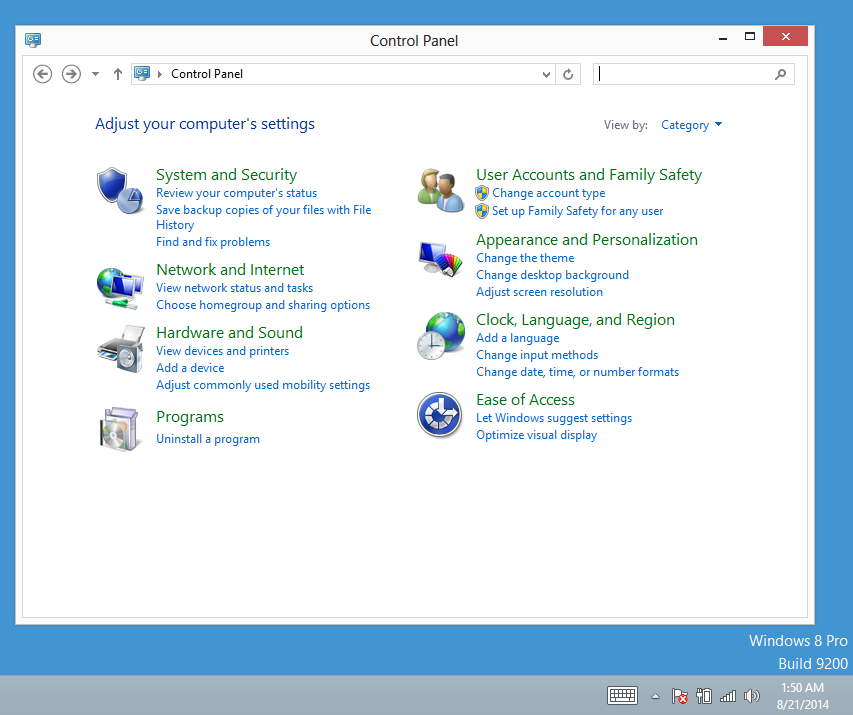
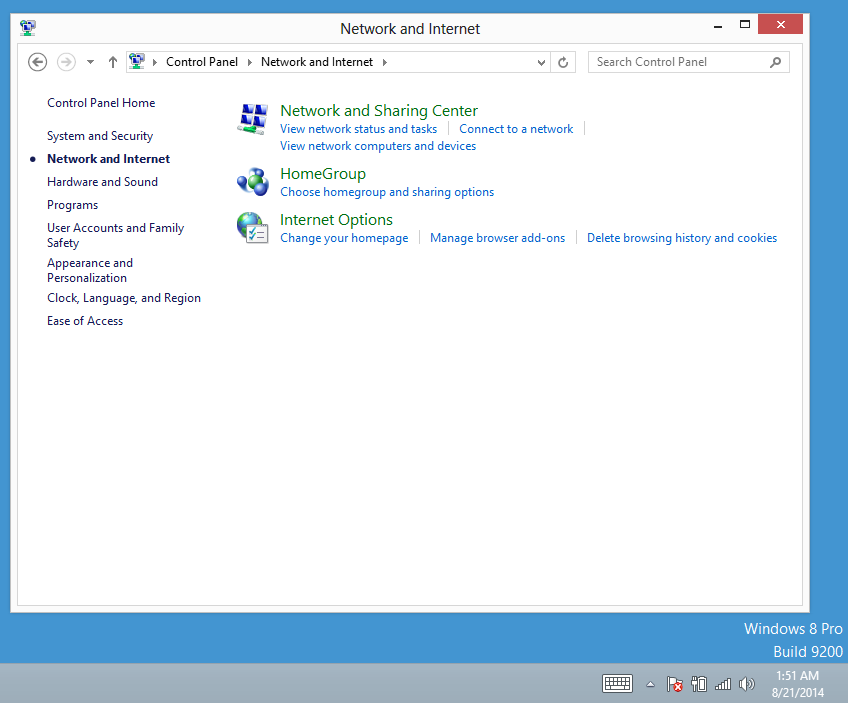
Control Panel and select ‘Network and Sharing Center’ and then ‘Connect to a Network’
Select ‘Set up a connection or network’
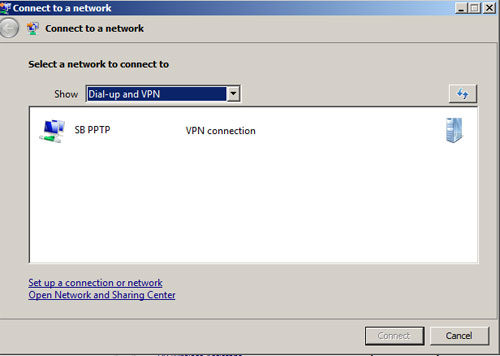
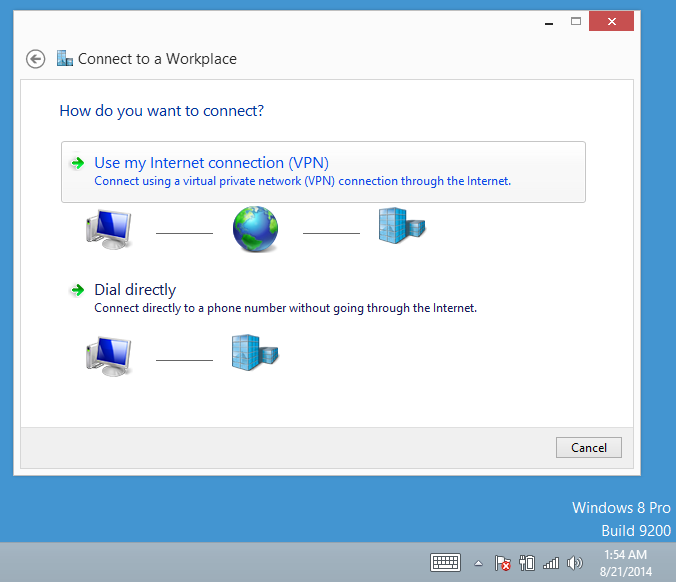
Select ‘Connect to a workplace’
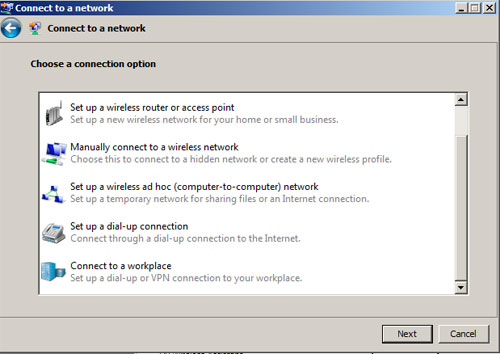
Select ‘Use my Internet connection (VPN)’
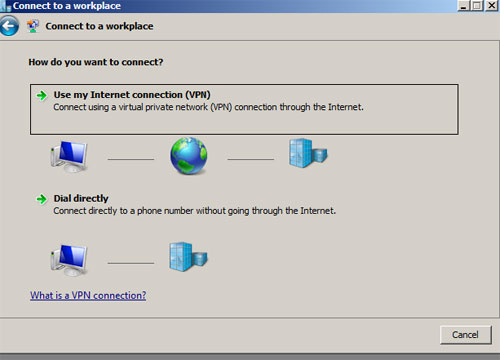
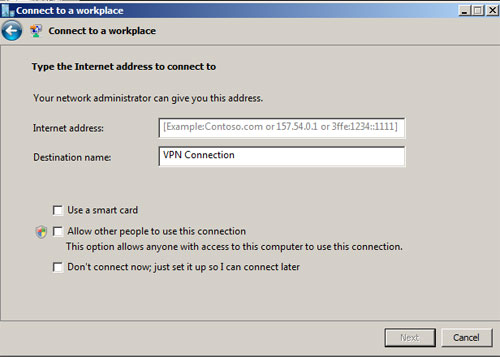
Next to ‘Internet address:’ enter the server name we sent you
Next to ‘Destination name:’ type in a description of the connection (this can be anything you want)
Click on ‘Don’t connect now’ and then ‘Next’
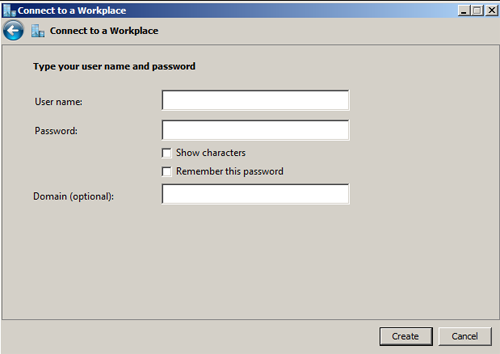
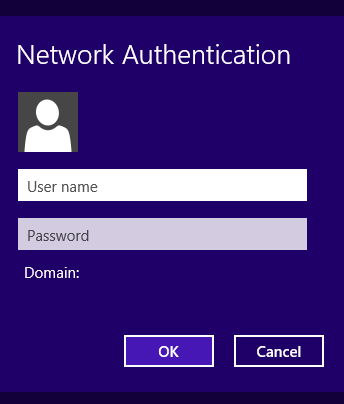
Enter your user name and password and click ‘Create’
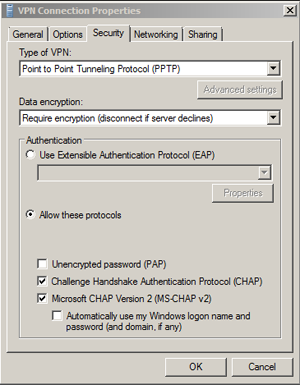
Click on ‘Properties’ and then ‘Security’
To use PPTP, select PPTP from the ‘Type of VPN:’ drop down and click ‘OK’
To use IKEv2 select IKEv2 from the ‘Type of VPN:’ drop down and click ‘OK
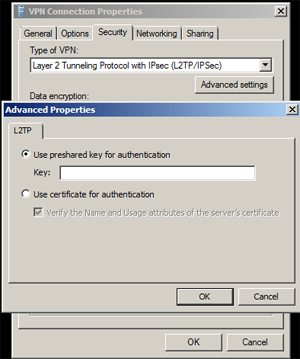
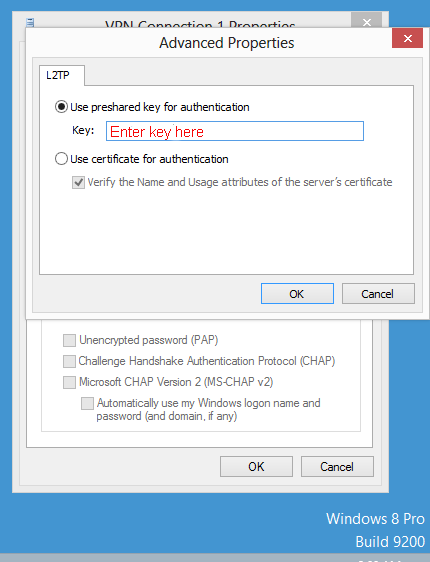
To use L2TP, select L2TP from the ‘Type of VPN:’ drop down. Then click ‘Advanced settings’ and enter the pre-shared key we supplied when we sent you the connection information (after you requested the service). Click ‘OK’
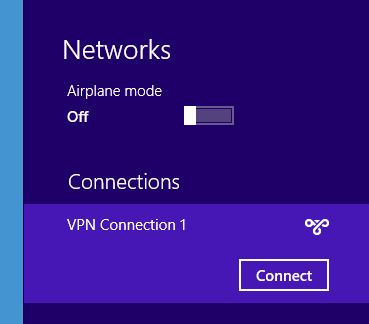
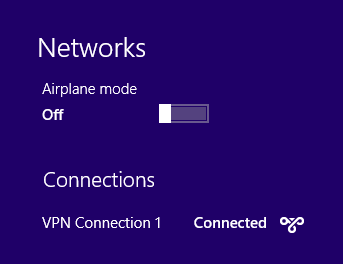
From the task bar, select your connection from the Network icon menu. Click ‘Connect’
You can check to see if you are on the network on this page
Windows 8 See Windows 10 below
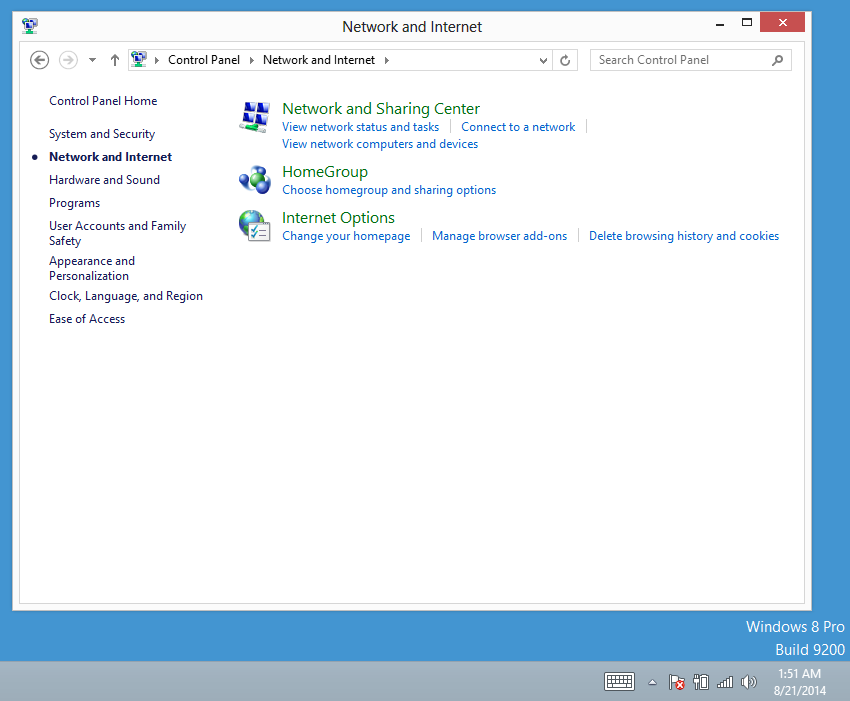
WIndows 8 is similar to Windows 7 above except for the look of the screens.
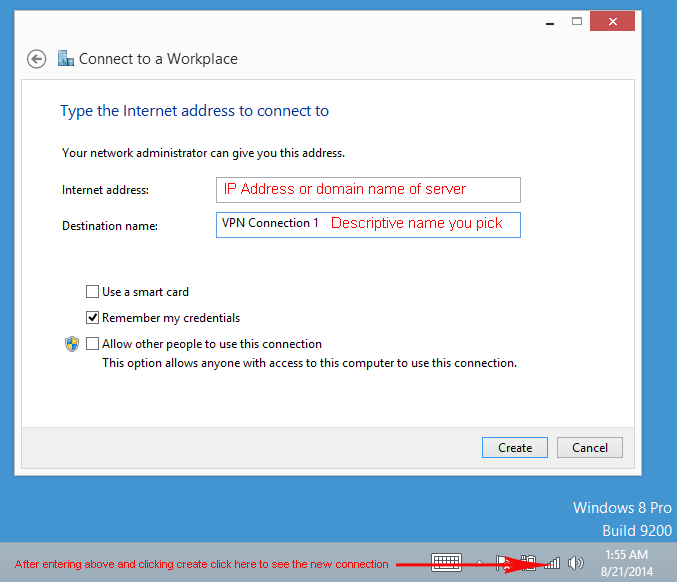
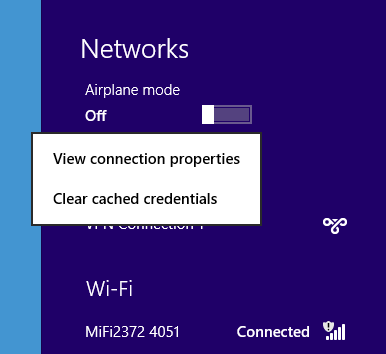
PPTP
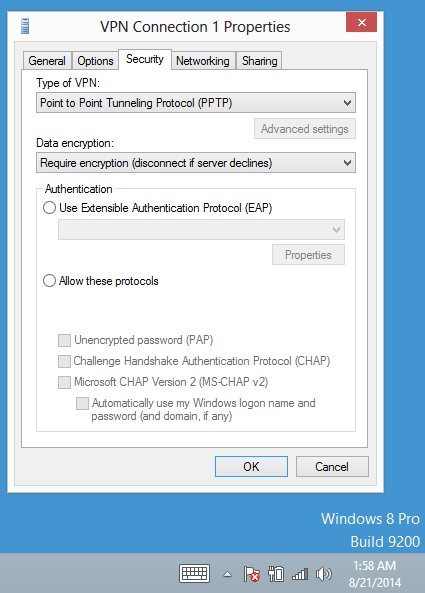
L2TP (For IKEv2/IPsec choose IKEv2 instead)
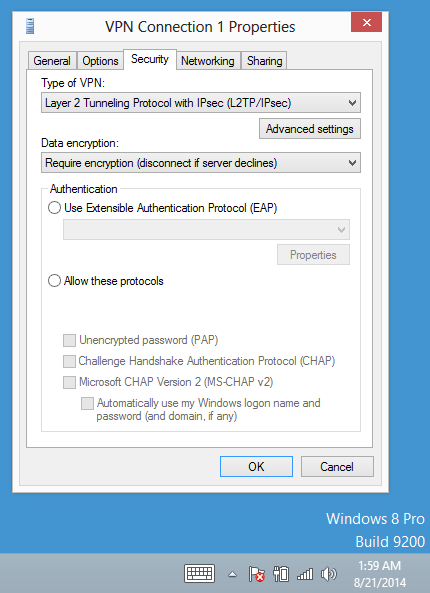
The step below is only required for L2TP
Windows 10
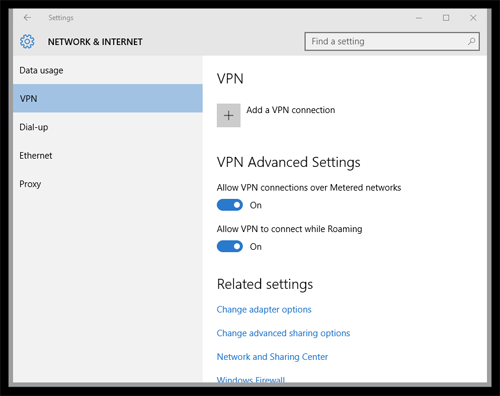
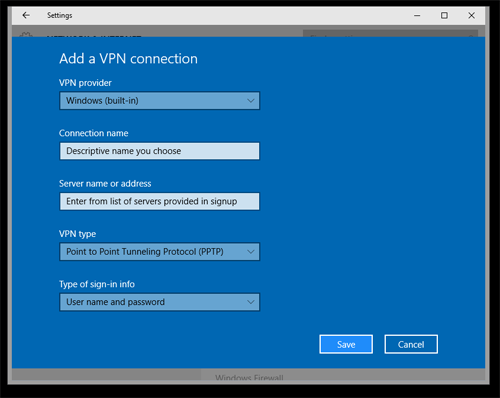
PPTP
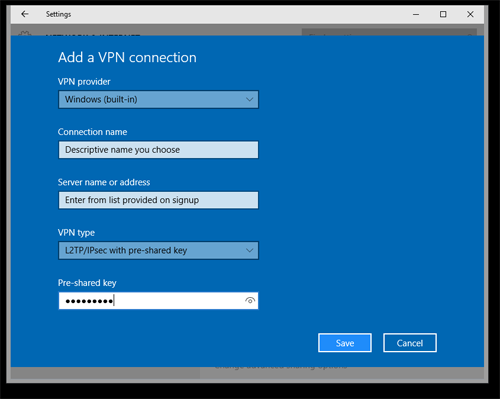
L2TP – Enter the pre-shared key provided in your registration email
For IKEv2 select IKEv2/IPsec instead and there is no key required.
Connect